Track multiple jobs.
Verify your true earnings.
Built for employees. Easily track your part-time jobs, compare actual pay against your records, and securely share proof of your hours if discrepancies happen.
How It Works
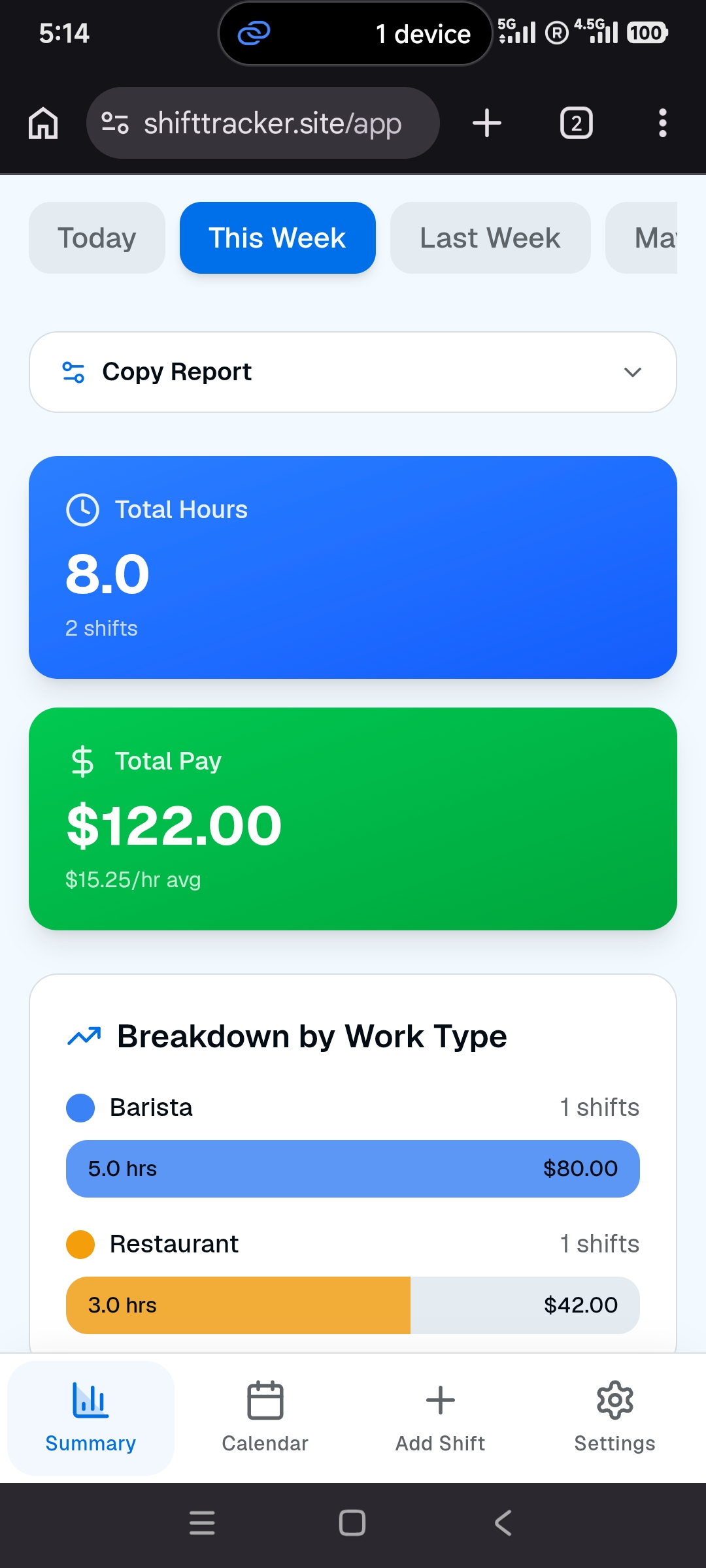
A step-by-step interactive guide on how to track your multiple part-time jobs, log your hours, and ensure you get paid every cent you earn.
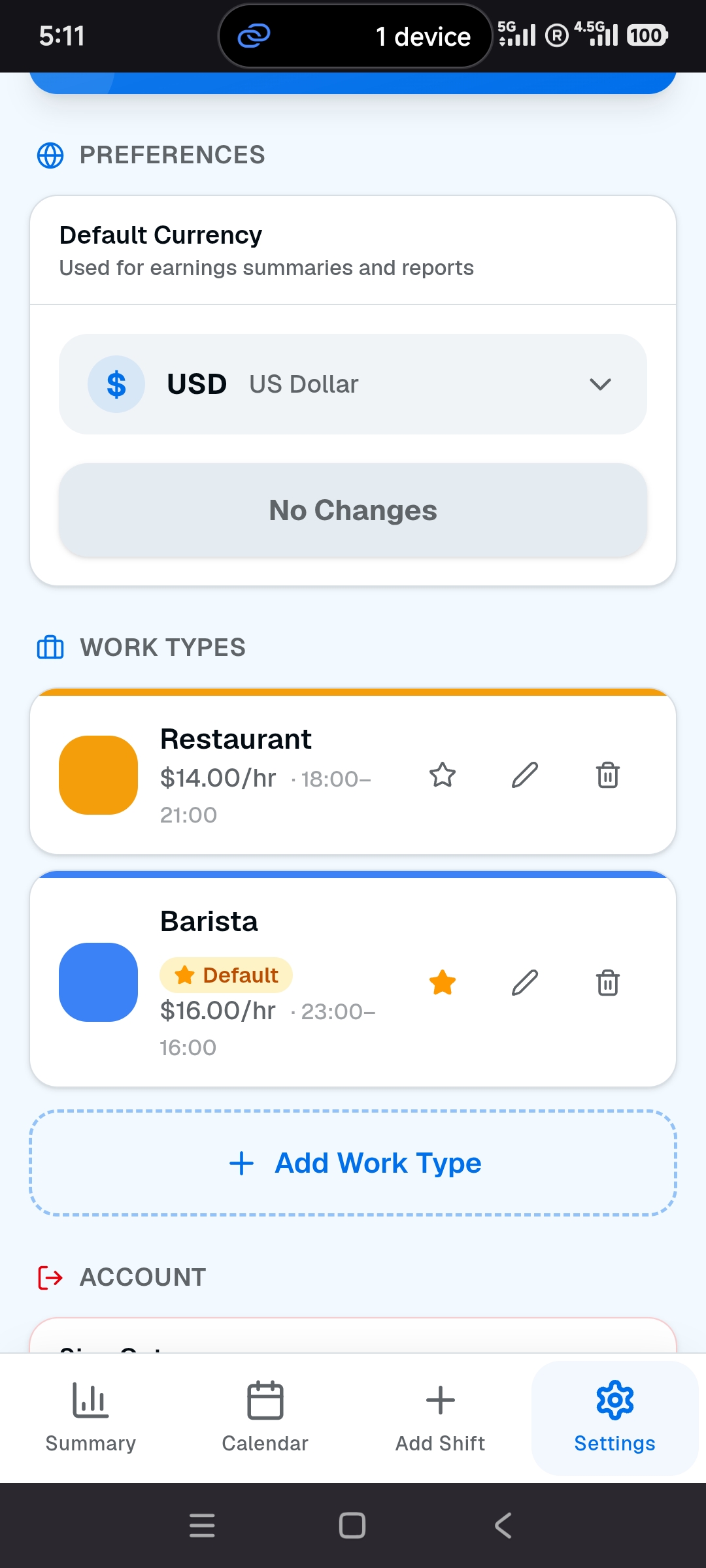
Add Your Jobs
Start by setting up your different part-time jobs. You can customize the name, hourly rate, and color for each gig so everything stays organized.
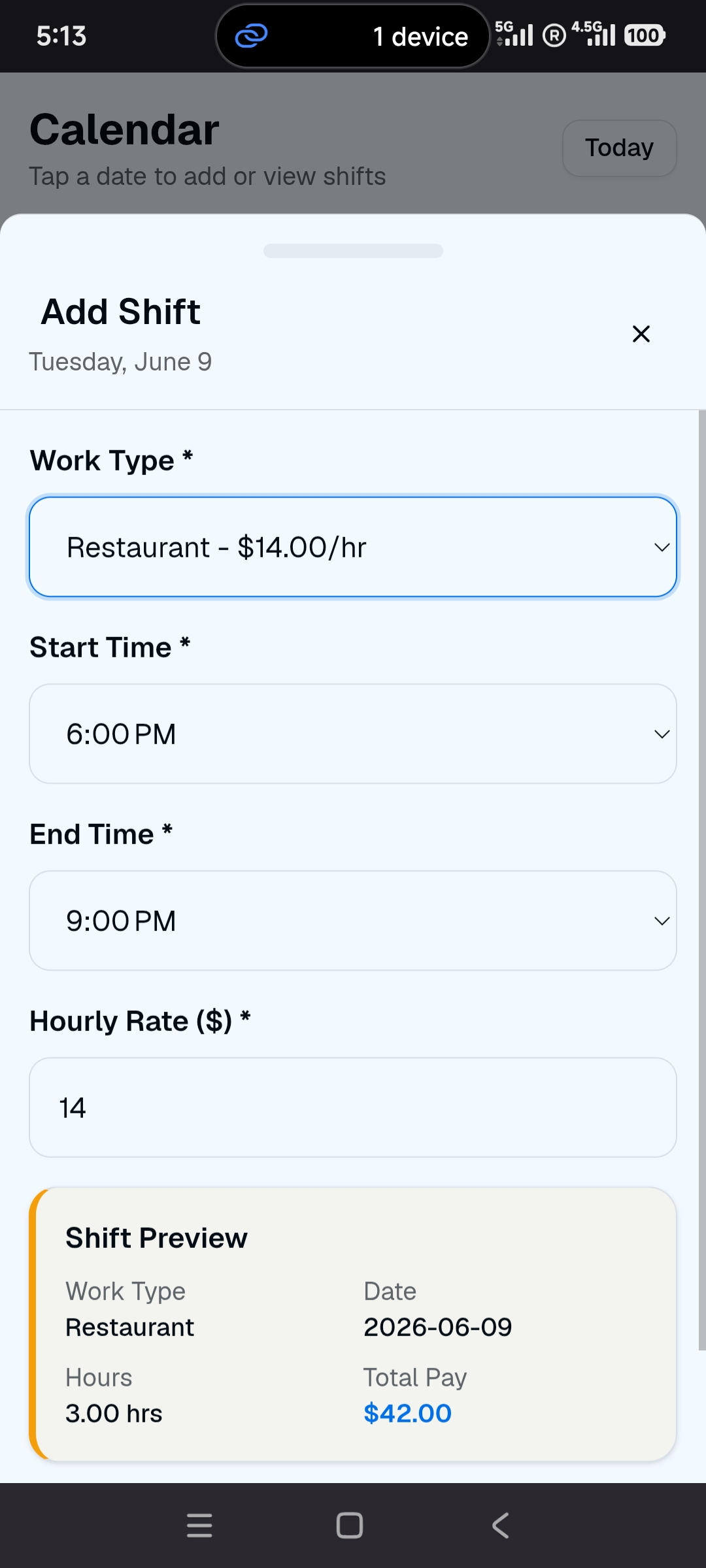
Log Your Hours
Easily log your past shifts if you forgot, or add future shifts if your schedule is set. Just pick the job, date, and hours worked.
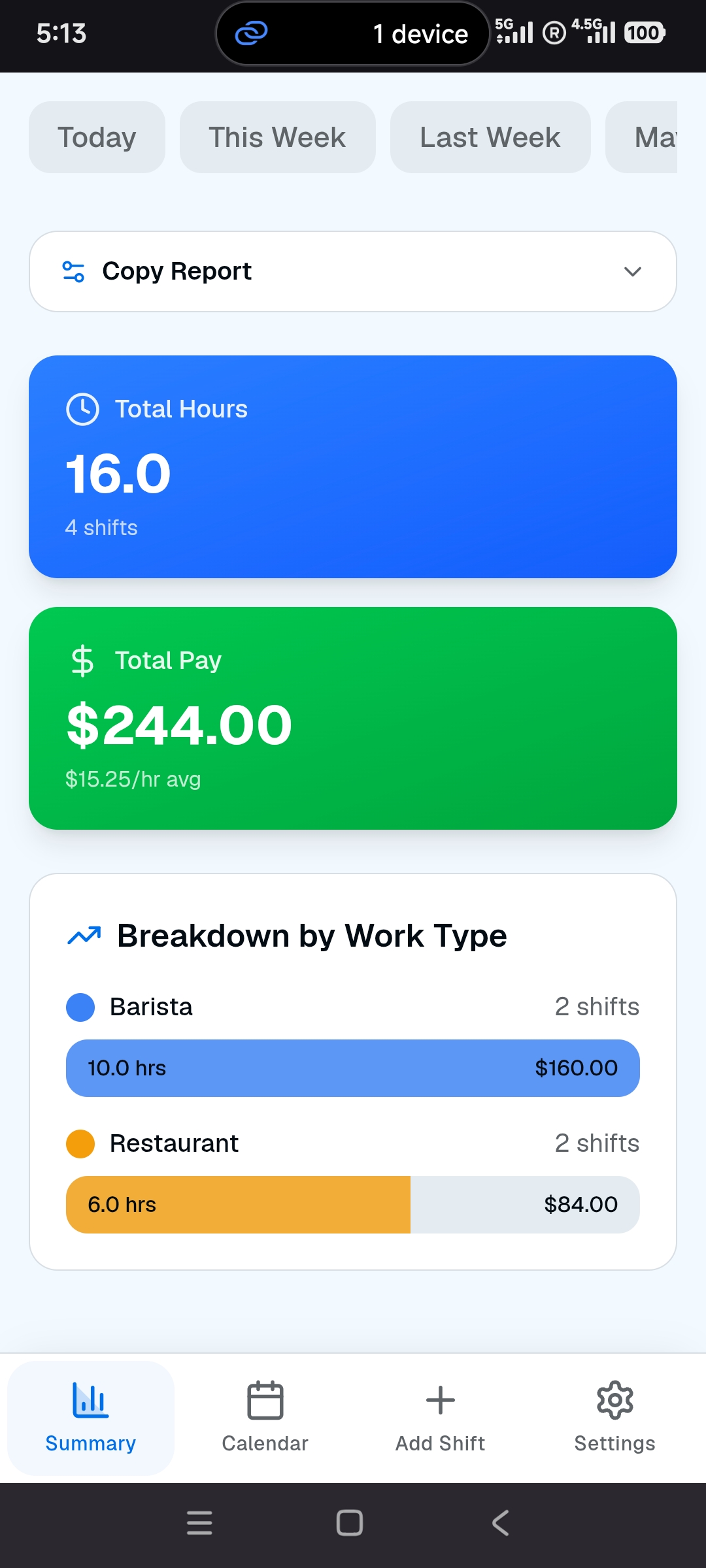
Verify Your Earnings
Our app calculates your expected pay instantly. When payday comes, compare your actual paycheck against our summary to spot any missing hours.
Share with Employer
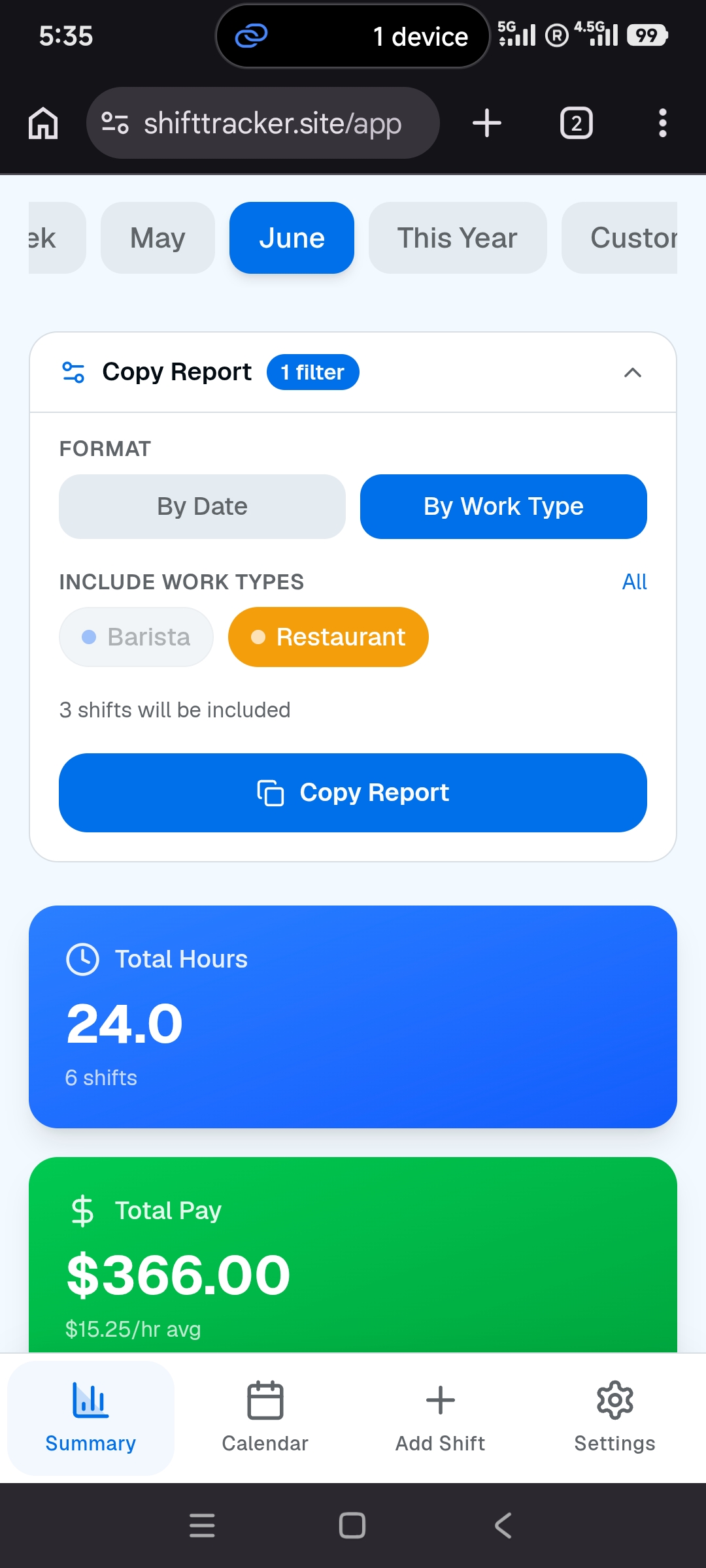
Found a discrepancy? Generate a clean text summary of your hours and earnings, and copy it directly to share with your manager as proof.
Everything you need,
nothing you don't.
Stop using complex spreadsheets or clunky note apps. ShiftTrack is built specifically to make tracking your work hours effortless.
Verify Your Paycheck
Compare your actual received pay against our app's records. Easily spot discrepancies and complain if your employer shorts you.
Easy Record Sharing
Copy your work summary in a neat, professional text format to instantly share with your employer as proof of your hours.
Flexible Logging
Forgot to log? Backdate up to a week. Got your schedule early? Record future dates if your plans haven't changed.
Multiple Jobs Support
Juggling two or three part-time gigs? Keep track of each one separately with accurate rates and hours.
Secure Cloud Storage
Your work records are safely backed up in the cloud. Access your data securely from any device, anytime.
Native App Experience
Install directly to your iPhone or Android home screen. No app store downloads required.